Wireless Printing
You can send print jobs wirelessly to the Port Moody Public Library using your computer, phone, or tablet.
Upload file(s) from your device
Click the link below to access Princh, our wireless printing service:
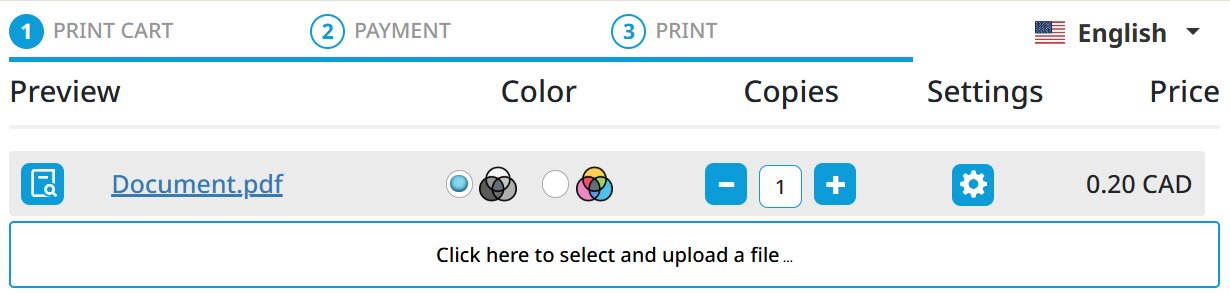
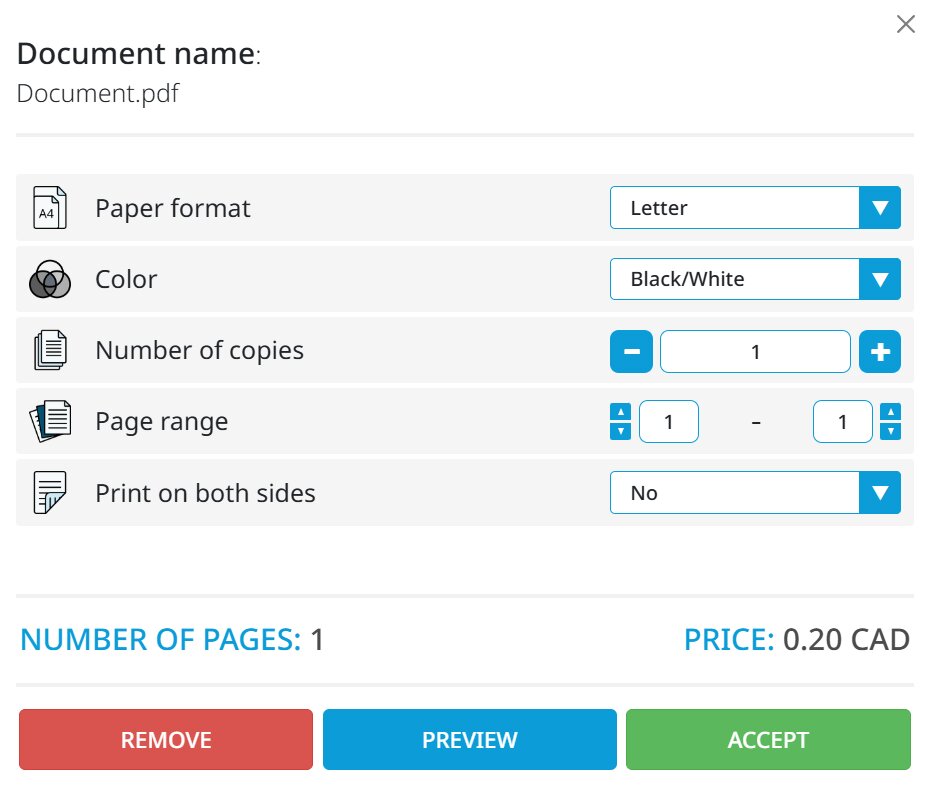
Select your settings
Choose black and white or colour, and number of copies.
Note: On mobile, you need to tap the gear icon under "Settings" to change these options. The icon will not appear until the document has finished uploading.
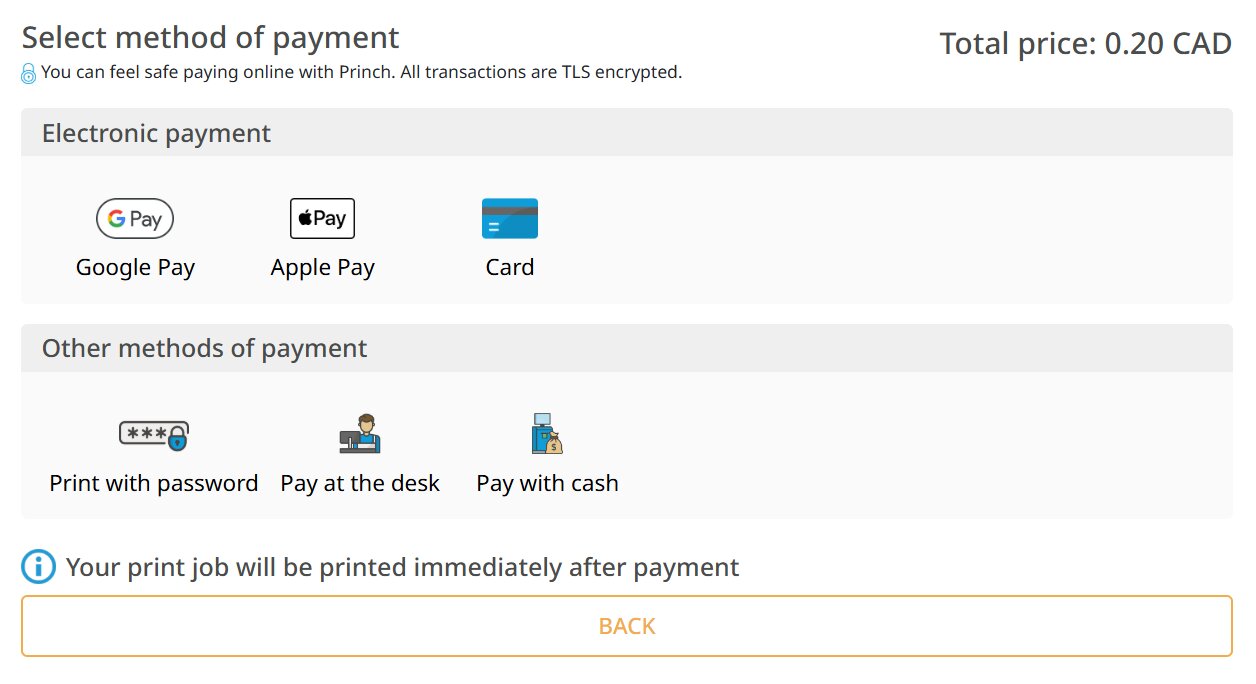
Select method of payment
Once you submit your wireless print job, you will be prompted to select a method of payment.
Printing costs
Our self-serve print release terminal accepts bills and coins. You can also pay online using Google Pay, Apple Pay, or a credit card. If you would like to pay in person using debit or credit, see staff at the Information Desk to release your print job.
Type of printing | Cost per page |
| Black and white, single-sided | $0.20 |
| Black and white, double-sided | $0.40 |
| Colour, single-sided | $0.50 |
| Colour, double-sided | $1.00 |