Magazines and newspapers
Cozy up with a newspaper in the library or flip through magazines from home. Use your library card to access digital magazines and newspapers, or borrow print magazines to take home.
Online Magazines and Newspapers
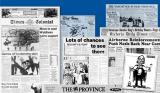
Access archival issues of The Vancouver Sun, The Province, and Times Colonist online. No login or library card required. The editions included are from 2010 back to the beginnings of each of the papers.
Thank you to the British Columbia Electronic Library Network, BC Libraries Cooperative, and Focused Education Resources for making these collections available for all British Columbians.
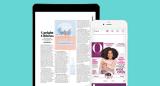
Borrow digital copies of your favourite magazines. Read on your computer using the website or download the free Libby app to your mobile device to read on-the-go.
PressReader magazines and newspapers
Full online copies of newspapers and magazines from over 70 countries in 37 languages. Read on your computer or on your mobile device with the PressReader app.
Instructions for phone or tablet:
To read online magazines and newspapers from the Port Moody Public Library on your phone or tablet, follow these steps:
- Set up and create a PressReader account:
- Download and install the PressReader app on your phone or tablet.
- Open the app. On the bottom or side navigation, tap on the Accounts icon. The icon may be hidden in the More Options menu.
- Tap sign in, choose the method you'd like, and create an account.
To connect and gain free access:
PressReader requires you to renew your connection using your library card every three days.
- Make sure your app is already signed in to your PressReader account.
- On your phone or tablet, open the internet browser.
- Go to the Library website, tap the menu in the top right corner. Tap "Borrow", then "Magazines and Newspapers". Tap to go to PressReader.
- Enter your Port Moody library card number and PIN. Usually the PIN is the last 4 digits of your phone number.
- You will be taken to the PressReader website. You will see a screen saying that you now have access from the Port Moody Public Library.
Tip: To check if you are currently connected to the Library to get free access, look for the green coffee cup icon at the top. - If you are not signed in already, tap “Sign in” button on the top. Sign in with the same account as the one you used for your PressReader app to sign in.
- Open the PressReader app. You should see the same message box telling you you now have access from the Port Moody Public Library.
You will see the green coffee cup in the bottom right corner of your app. - If you tap on a newspaper or a magazine to open it, you should see the option to “Read”, rather than the price for purchase.
Contact the Library if you have any issues connecting to PressReader. Staff can also help you if you would like to bring your phone or tablet to the Library.
Print magazines and newspapers
Browse the list of print magazine titles available at the Port Moody Public Library.
Print newspapers
The following print newspapers are available for reading inside the library.
- Freshet News
- The Globe and Mail
- The National Post
- The New York Times (Sunday edition)
- The Province
- The Vancouver Sun